jira automations
Mastering Date Calculations in Jira Cloud Automation
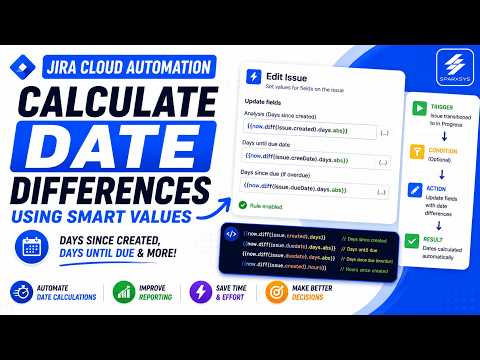
Date calculations are essential for operational insights, such as tracking ticket age or due dates. Manual calculations fail to scale, making Jira Cloud automation a vital tool for business efficiency.
Setting Up Your First Automation Flow
To calculate date differences, start by configuring a trigger—such as a status transition—and pairing it with an "Edit Issue" action. Target a custom field to store the result, ensuring you have a clean setup for your data.
Streamlining Project Management: A Guide to Jira Automation Templates
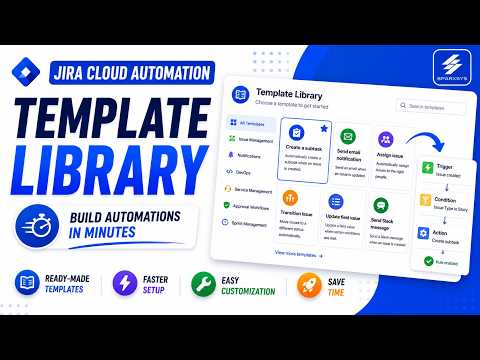
Building automation rules from scratch can be a daunting and time-consuming task for project managers. The Jira Cloud automation template library offers an efficient alternative, providing readymade blueprints that replace manual rule creation. Instead of starting with a blank canvas, users can leverage pre-built templates designed by Atlassian to automate common business scenarios quickly.
Optimizing Jira Cloud Automation: A Deep Dive into Performance Insights
As your Jira instance scales, the number of automation rules can quickly grow from a handful to hundreds. While these automations are essential for efficiency, they can also become a burden if not managed correctly.
The Visibility Gap
Most administrators rely on audit logs to troubleshoot issues. However, audit logs often fail to answer critical performance questions: Which rules are running the most? Which ones are consuming the most processing time? Where are the inefficiencies hiding?
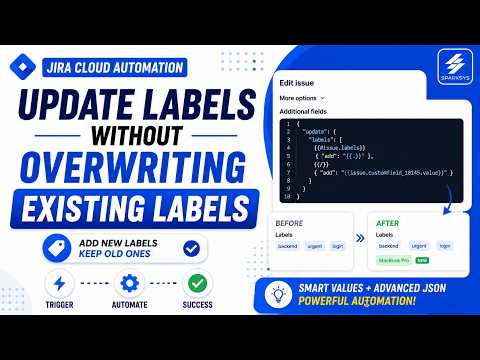
Automating Jira Labels: How to Append Without Overwriting
Managing Jira labels through automation often presents a significant challenge: standard "edit issue" actions typically overwrite existing labels instead of appending new ones. This article explores how to use advanced JSON payloads to dynamically add new labels while preserving your historical issue data.
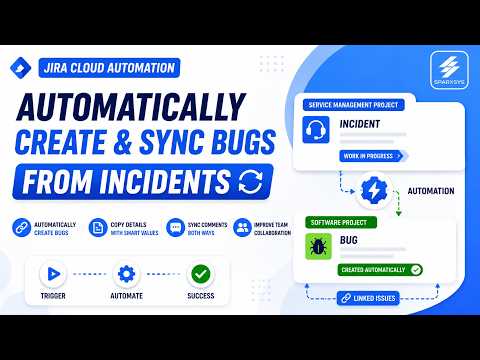
Streamlining Jira Workflows: Automating Bug Creation and Syncing Comments
In many organizations, bridging the gap between Jira Service Management (JSM) and Jira Software creates a significant operational bottleneck. When a customer incident escalates into a software bug, support teams often find themselves trapped in manual data entry—copying descriptions, screenshots, and manually linking tickets. This post explores how to automate these processes to improve efficiency and traceability.
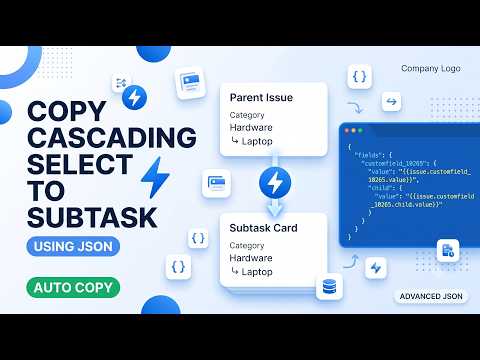
Mastering Jira Automation: Copying Cascading Select Lists to Subtasks
Automating Jira subtask creation can significantly streamline your workflow, especially when you need to maintain data consistency between parent issues and their child tasks. However, a common hurdle arises when dealing with cascading select lists. In this guide, we explore how to bridge this gap using Jira Cloud Automation.
Mastering Jira Automation for Cascading Select Fields
In a recent tutorial session, Aaditya Kumar demonstrated how to resolve historical limitations in Jira Cloud automation regarding cascading select fields. For years, users struggled to copy cascading select fields between issues using standard automation, as the child option could not be selected without the parent value.
Want to contact me?

Ravi Sagar
ravi at sparxsys dot com
Author of "Mastering JIRA 7" book. Loves #Jira and #Drupal. #Blogger, #ProblemSolver, #Atlassian #Consultant and #Technologist @ravisagar on twitter
Want my help? raise a support request for me.
Social and other Links
- RSS Feed
- Github
- @ravisagar on Twitter
- Ravi Sagar YouTube: Atlassian tools and Jira tutorials
- Ravi Sagar LBRY: Synced with Ravi Sagar YouTube
- Blackberry Boy YouTube: Linux, Emacs, Org Mode and tech tutorials
- Ravi Sagar Podcast
- @ravisagar.in on Instagram
- Ravi.pro: site published with Org Mode, general IT and tech stuff
- LinuxIndya.com: site published with Org Mode on Linux
- AutoGrid.info: site published with Org Mode on Excel VBA and Google Apps Script