Jira Automation Tutorial

Mastering Jira Automation: Accessing Linked Issue Fields

Submitted by aaditya.kumar on

In complex project environments, issues rarely exist in isolation. Bugs, stories, incidents, and tasks are frequently interconnected. A common challenge in Jira automation is accessing data from these connected issues rather than just the one triggering the rule. For instance, when a bug linked to a story is resolved, you might want to automatically comment on that story or update its status. Aaditya Kumar highlighted that using smart values and branch rules is the key to building these dynamic, cross-issue automation tools.

Mastering Jira Cloud Automation with Web Request Chaining

Submitted by aaditya.kumar on

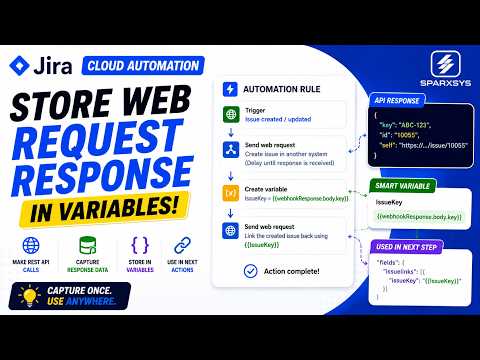
Efficient workflow automation is at the heart of modern issue management. In our latest session, we explored a powerful technique for Jira Cloud: capturing API responses to chain complex automation sequences.

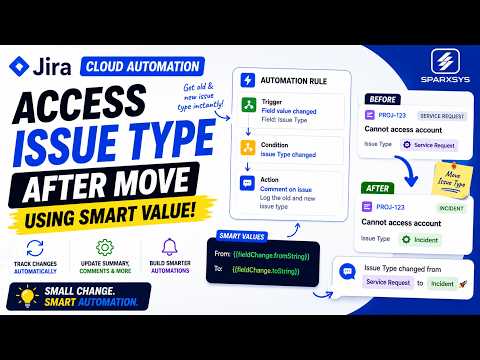
Mastering Jira Automation: Tracking and Reacting to Issue Type Changes

Submitted by aaditya.kumar on

One of the most frequent questions in the Atlassian community is: "Can Jira track and react to changes when an issue type is updated?" The answer is a resounding yes. By leveraging Jira Automation and Smart Values, administrators can capture the context of an issue transition—knowing both the previous and new issue types—to trigger dynamic updates, notifications, or administrative actions.

Real-World Applications

The ability to respond to issue type transitions is invaluable across various workflows:

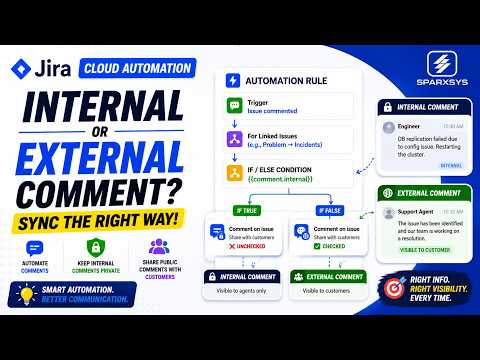
Streamlining Jira Service Management: Automated Comment Visibility

Submitted by aaditya.kumar on

The challenge of synchronizing comments across linked Jira Service Management (JSM) issues—such as syncing from a problem ticket to multiple incident tickets—is significant. Often, the automation itself is straightforward, but the critical question remains: should every comment be visible to customers?

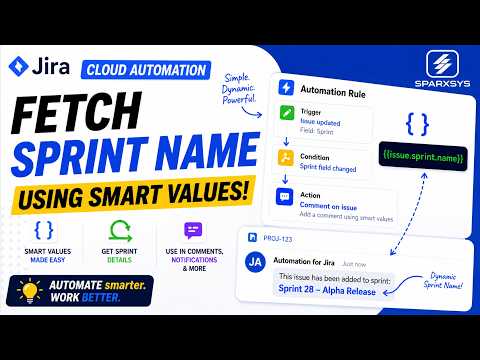
Mastering Jira Cloud Automation: Fetching Sprint Data

Submitted by aaditya.kumar on

For Jira administrators and power users, automation rules are essential for maintaining efficient workflows. However, a frequent stumbling block is the seemingly complex task of retrieving a sprint name within these rules. While standard fields are easily accessible, sprint data often feels hidden, leading to frustration when trying to create dynamic, context-aware notifications or updates.

Automate Everyday Tasks in Jira: A Practical Guide to Jira Automation

Submitted by aaditya.kumar on

Jira Automation has become one of the most valuable features for teams looking to reduce repetitive work and improve productivity. Whether you're managing software projects, IT service requests, or business workflows, automation can help eliminate manual tasks and create more consistent processes.

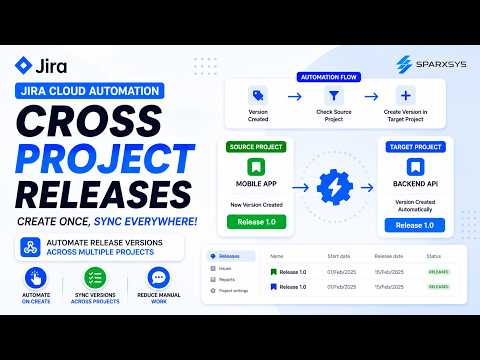
Automating Jira Version Synchronization Across Projects

Submitted by aaditya.kumar on

Managing version releases across multiple Jira workspaces can be a manual and error-prone process. In our recent technical session, we explored a streamlined approach to automate this workflow, ensuring consistency across your product ecosystem.

Streamlining Jira: Automating Subtask Deletion

Submitted by aaditya.kumar on

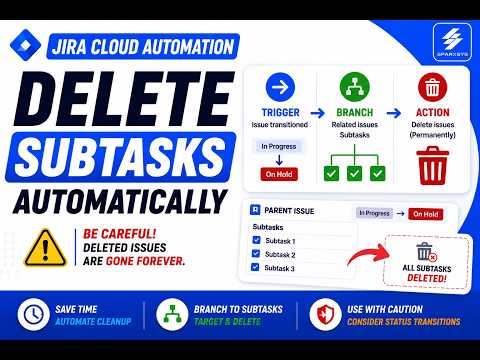
Managing complex workflows in Jira Cloud often involves handling numerous subtasks. While automation can significantly streamline these processes, specifically regarding subtask deletion, maintaining data integrity remains a paramount concern for administrators. This post explores the balance between efficiency and history preservation.

Leveraging Jira Self Transitions for Streamlined Workflows

Submitted by aaditya.kumar on

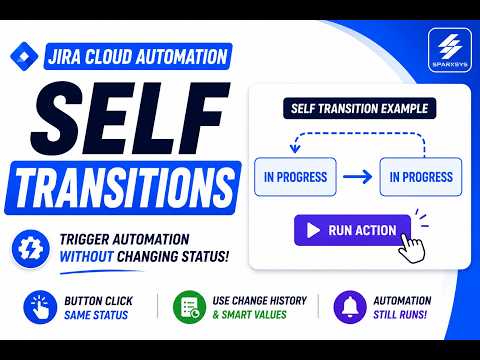
Jira self transitions are a powerful workflow feature where a work item moves from a specific status back to the exact same status. While the issue status does not technically change, Jira records the event as a valid transition, enabling the triggering of automation rules without forcing an issue into a new state.

Key Benefits and Use Cases

Self transitions are ideal for scenarios where you need users to execute actions while maintaining the current issue status. Common use cases include:

Mastering Jira Automation: Insight Fields and Date Conversions

Submitted by aaditya.kumar on

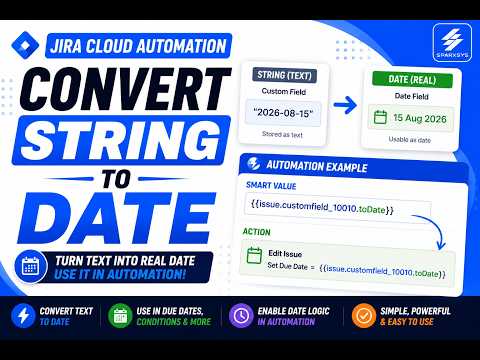
Jira Cloud automation is a powerful tool for managing workflows, but it can present challenges when dealing with specific field types or external data formats. In our recent session, we covered two key techniques to help you build more robust and dynamic automation rules: updating Insight custom fields via JSON and converting text strings into usable date objects.

Subscribe

* indicates required

Please confirm that you would like to from Sparxsys:

You can unsubscribe at any time by clicking the link in the footer of our emails. For information about our privacy practices, please visit our website.

We use Mailchimp as our marketing platform. By clicking below to subscribe, you acknowledge that your information will be transferred to Mailchimp for processing. Learn more about Mailchimp's privacy practices.

Want to contact me?